iBrate Vibrate1.3
Continue to app
Free Version
Publisher Description
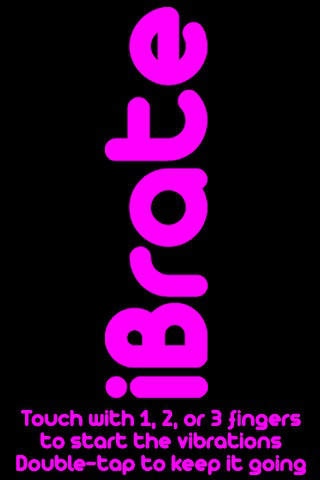
Introducing iBrate! iBrate turns your phone into a massaging vibrator to ease up those tense muscles when you're on the go.
iBrate is simple to use. Touch the screen to make it vibrate.
Use one finger for a slow kneading pulse
Use two fingers for a fast-paced percussion effect
Use three fingers for an invigorating massage
Can you handle it?
*Bonus: Leave us a comment with your best iBrate story!
Requires iOS 3.0 or later. Compatible with iPhone, iPad, and iPod touch.
About iBrate Vibrate
iBrate Vibrate is a free app for iOS published in the System Maintenance list of apps, part of System Utilities.
The company that develops iBrate Vibrate is lawlmart. The latest version released by its developer is 1.3. This app was rated by 10 users of our site and has an average rating of 3.6.
To install iBrate Vibrate on your iOS device, just click the green Continue To App button above to start the installation process. The app is listed on our website since 2009-03-05 and was downloaded 775 times. We have already checked if the download link is safe, however for your own protection we recommend that you scan the downloaded app with your antivirus. Your antivirus may detect the iBrate Vibrate as malware if the download link is broken.
How to install iBrate Vibrate on your iOS device:
- Click on the Continue To App button on our website. This will redirect you to the App Store.
- Once the iBrate Vibrate is shown in the iTunes listing of your iOS device, you can start its download and installation. Tap on the GET button to the right of the app to start downloading it.
- If you are not logged-in the iOS appstore app, you'll be prompted for your your Apple ID and/or password.
- After iBrate Vibrate is downloaded, you'll see an INSTALL button to the right. Tap on it to start the actual installation of the iOS app.
- Once installation is finished you can tap on the OPEN button to start it. Its icon will also be added to your device home screen.
Program Details
System requirements
Operating systems
iOS
Download information
File size
734.0 KB
Total downloads
775
Pricing
License model
Free
Price
Version History
Here you can find the changelog of iBrate Vibrate since it was posted on our website on 2016-12-27.The latest version is 1.3 and it was updated on Soft112 on 01 November, 2026.See below the changes in each version:
